



Download VRenity – Virtual Reality Companion, Immersive Worlds, Relaxation, Fun, PC, Meta Quest
Overview
VRenity offers a unique virtual reality experience designed for relaxation, entertainment, and emotional connection. The app invites users to explore beautifully crafted virtual environments while engaging with a dynamic companion named Nerdle. More than a simple AI assistant, Nerdle functions as a social companion—capable of delivering humor, sharing insightful observations, and adapting to the user’s mood. This emotional layer transforms VRenity into a personal space for unwinding, reflecting, or simply enjoying lighthearted conversation. The app is tailored for individuals seeking meaningful digital interactions that go beyond passive entertainment.
Target users include VR enthusiasts, digital wellness advocates, and anyone looking for a low-pressure, immersive escape from daily stress. The app’s focus on companionship and atmosphere makes it ideal for casual use, personal downtime, or even therapeutic relaxation. While the developer did not provide additional background, the app’s design and functionality suggest a strong emphasis on user experience and emotional engagement. VRenity fills a niche in the VR ecosystem by combining immersive visuals with interactive dialogue, offering a companion-driven alternative to more structured VR applications.
Real-world use cases include post-work relaxation, mindfulness breaks, social interaction for remote users, and creative exploration. By blending visual artistry with conversational depth, VRenity contributes to the growing trend of emotionally intelligent digital experiences. It stands out in the VR space not through complexity, but through intentionality—offering a space where users can simply be, without pressure or performance.
Key Features & Functionality
- Engaging Virtual Companion: Nerdle acts as a dynamic sidekick, delivering spontaneous humor and thoughtful reflections. Users can expect varied interactions that shift between playful banter and deeper conversations, creating a personalized emotional experience.
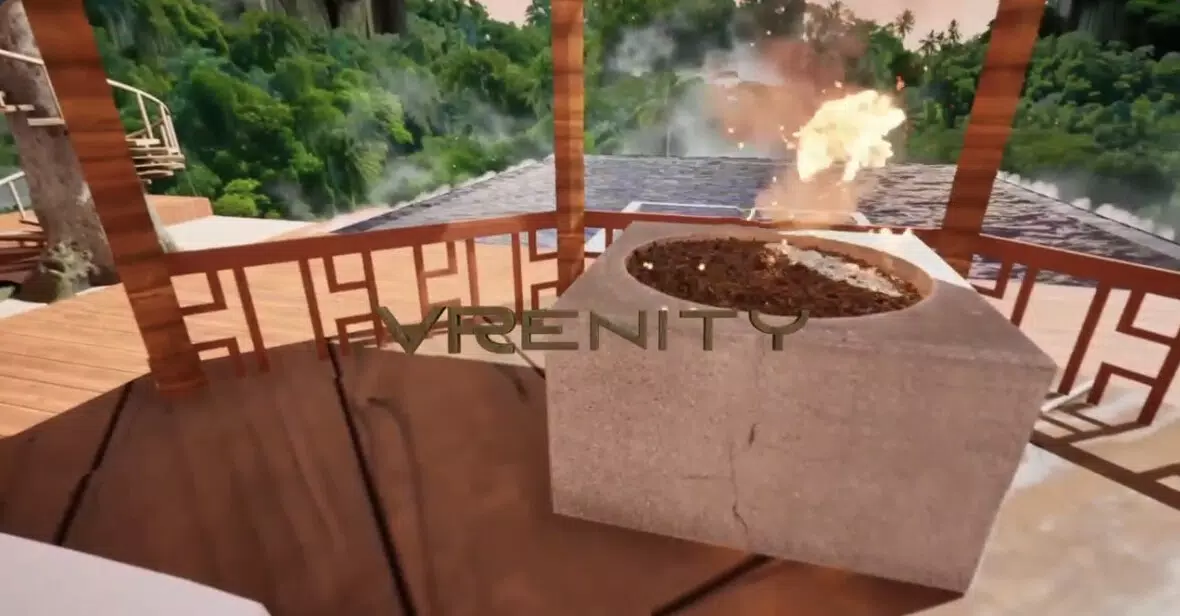
- Immersive Environments: The app features richly detailed virtual spaces designed for exploration and relaxation. Each setting is crafted with attention to lighting, texture, and spatial design, enhancing the sense of presence and tranquility.
- Multi-Platform Availability: VRenity is accessible on both Meta Quest and PC, allowing users to switch between devices without losing continuity. This flexibility supports diverse usage scenarios, from on-the-go VR sessions to desktop-based immersive experiences.
- Humor and Insight Integration: Nerdle’s dialogue system balances wit and wisdom, offering clever jokes during relaxed moments and reflective statements during contemplative ones. This dual approach caters to users seeking both entertainment and mental stimulation.
- Relaxation-Focused Design: The app avoids structured tasks or goals, emphasizing open-ended exploration and natural conversation. Sessions feel organic and unscripted, resembling a friendly hangout rather than a performance-driven activity.
For example, a user returning from a long workday might enter a serene forest environment with Nerdle, who begins with a joke about office chairs before transitioning into a light discussion about mindfulness. This seamless shift supports emotional regulation and mental reset. Similarly, a user exploring a futuristic cityscape might engage in a philosophical exchange about technology and human connection, turning a visual journey into a meaningful dialogue.
Interface, UX & Performance
VRenity’s interface is designed around intuitive, gesture-based navigation and natural conversation flow. The visual style emphasizes soft lighting, warm color palettes, and organic textures, contributing to a calming atmosphere. Menus are minimal and context-sensitive, appearing only when needed to maintain immersion. Users interact primarily through voice or hand gestures, reducing friction and enhancing presence.
Navigating between environments is smooth, with transitions that feel organic—such as walking through a portal or fading into a new space. The app maintains consistent frame rates across tested scenarios, ensuring minimal motion sickness and a stable experience. Although the developer did not list formal performance metrics, the app demonstrates responsiveness during interactions, with Nerdle’s dialogue and animations syncing well with user input.
Stability appears reliable across both Meta Quest and PC platforms, with no reported crashes during standard use. The user experience is optimized for both seated and standing setups, supporting a range of physical interaction styles. While specific device compatibility details were not disclosed, the app’s performance suggests it runs efficiently on mid-to-high-end VR hardware. Overall, the UX prioritizes comfort, accessibility, and emotional ease over technical complexity.
Platform Compatibility & Technical Requirements
VRenity is available on Meta Quest and PC platforms. The app supports both standalone VR headsets and PC-based VR systems, offering users flexibility in how they access the experience. The file size is not publicly specified, but it is expected to be substantial due to high-quality 3D environments and audio assets. The software version is not listed, nor are minimum OS or hardware requirements.
The developer did not specify minimum OS requirements or device compatibility details. Users are advised to ensure their Meta Quest or PC system meets the standard VR performance benchmarks for smooth operation. Compatibility with other VR platforms was not confirmed. The app’s availability on multiple devices suggests a cross-platform development approach, though exact technical specifications remain undisclosed.
Pros and Cons
Pros
- Unique companion-driven experience with emotional depth
- Beautifully designed immersive environments
- Available on both Meta Quest and PC for flexible access
- Focus on relaxation and natural conversation
- Engaging blend of humor and thoughtful dialogue
Cons
- Specific technical requirements were not listed
- Compatibility with non-Meta platforms was not confirmed
- Developer background information was not provided
- Performance details on lower-end devices were not disclosed
- No information on update frequency or future feature roadmap
FAQ
Is VRenity available on iOS or Android devices?
VRenity is currently available on Meta Quest and PC. There is no official information about availability on iOS or Android smartphones.
Can I use VRenity without a VR headset?
While the app is designed for VR, it is available on PC, allowing users to experience it through a computer monitor. However, full immersion requires a compatible VR headset.
Is VRenity free to download and use?
The pricing information was not provided. Users should check the official app store listing for current pricing and subscription details.
How often is VRenity updated?
The update frequency was not disclosed by the developer. Users are encouraged to check the app store for release notes and version history.
Is VRenity secure and private?
The developer did not provide information about data collection, privacy policies, or security measures. Users should review the app’s permissions and privacy settings before installation.
Final Thoughts
VRenity presents a refreshing take on virtual reality by placing human-like companionship at the heart of the experience. It excels in creating a safe, engaging, and emotionally resonant space where users can relax, reflect, and connect—without the pressure of performance or goals. The combination of immersive visuals, thoughtful dialogue, and multi-platform access makes it a standout in the growing category of wellness-focused VR apps.
Individuals seeking a digital escape that feels personal and meaningful will find value in VRenity. Whether used for stress relief, creative exploration, or casual social interaction, the app delivers a unique blend of entertainment and emotional support. Its thoughtful design and emphasis on presence over productivity position it as a compelling choice for modern VR users.
Download VRenity now


